
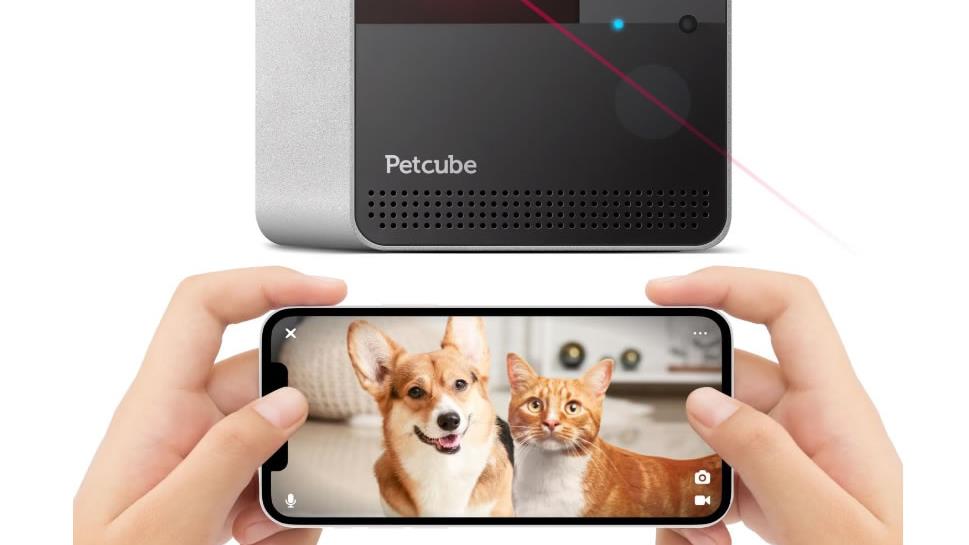
People usually look for a pet camera for one simple reason: they’ve got to leave the house, and they want to know what’s happening in the quiet hours. Is the dog barking nonstop. Did the cat knock something over. Is the back door shut properly. In summer, it can also be about heat and smoke risk, and whether you can get someone there quickly if conditions change.
A good home camera setup won’t replace proper pet care, but it can help you spot trouble early, check your pet has settled, and avoid guessing. The safest approach is a mix of pet comfort, sensible camera placement, and a few privacy and security basics for any internet-connected device.1, 2
Quick check: what a “good” pet monitoring setup looks like
Most households do best with one dependable indoor camera in the main living area, plus (optionally) a second view of the entry you actually use. The goal is simple coverage, not constant surveillance.
- Clear video in ordinary light so you can see posture, movement, and hazards on the floor.
- Night vision for after-dark check-ins.
- Two-way audio if you need to interrupt a behaviour or talk to someone at home. Use sparingly; some animals find sudden voice playback confusing.
- Reliable alerts for motion or sound, with sensitivity you can tune so you’re not pinged all day for a curtain moving.
- Storage you understand (cloud subscription vs local microSD), and a simple way to export a clip if you need it.3
Dedicated pet cameras (treats, barking alerts, wide-angle views)
“Pet cameras” are really indoor Wi‑Fi cameras with a few pet-specific extras: treat tossing, barking notifications, and wide views that keep a wandering animal in frame. They can be helpful, but they also add moving parts and, sometimes, another subscription.
When choosing one, look past brand names and focus on practical details:
- Treat dispenser design: easy to clean, hard for a determined dog to tip, and not likely to jam.
- App controls: quick live view, easy volume control, and clear notification settings.
- Placement options: stable on a bench or securely mounted, with the lens angled down enough to see the floor.
If you use treat-tossing, keep it predictable and low volume. Treats can support calm alone-time routines, but they shouldn’t become the only thing that keeps an animal settled.4
Standard indoor security cameras (often the best value)
A straightforward indoor pan-and-tilt or fixed camera can be enough for most pets. These cameras often cost less than “pet-branded” devices, and you still get the essentials: live view, night vision, motion alerts, and two-way audio.
Before buying, check where recordings are stored and what it costs after the free trial (if there is one). Many cameras are inexpensive upfront because ongoing cloud storage is where the real cost sits.3
Motion sensors and “no-go zone” alerts
Motion detection can be useful for quick reassurance (movement happened; the house isn’t silent), but it’s less useful for pets than people expect. Animals roam, curtains move, light shifts, and alerts can become background noise.
If your aim is to keep pets out of specific rooms, start with physical management first (baby gates, closed doors, secure bins). Then use camera “activity zones” or motion alerts to confirm the setup is working, rather than trying to police your pet remotely all day.
Wearable trackers and pet monitors (when location is the real worry)
A camera tells you what’s happening in one place. A GPS tracker helps when the concern is where the animal has gone—particularly for dogs that escape yards. These devices vary widely in battery life, coverage and subscription costs, so treat them as a separate decision from indoor monitoring.
For many households, the simplest safety upgrade is still the old-fashioned one: secure fencing, working latches, and an ID tag and microchip details kept up to date.
Why people use pet cameras (and what they can realistically tell you)
- Early warning: you may notice hazards (spilled water near power boards, a chewed cord, a pet stuck in a room) sooner than you would otherwise.
- Behaviour clues: pacing, repetitive barking, hiding, or long periods of rest can give you a clearer picture of how your pet copes when alone. If you’re seeing distress, it’s a signal to change the routine, not just buy more tech.4, 5
- Emergency context: if there’s smoke nearby, a storm, or a power outage, a quick look can help you decide whether to head home or ask a neighbour to check in—without taking risks you can’t undo.6, 7
Privacy and placement: keep the camera on your home, not everyone else’s
Indoor cameras are easy. Outdoor or window-facing cameras are where people get into trouble with neighbours and boundaries.
- Aim cameras at your own property and use privacy masking if the app supports it.
- Be cautious with audio recording. Laws differ by state and territory, and audio is generally treated more strictly than video.2, 8
- If you live in strata, check by-laws before mounting anything in common areas.2
The Office of the Australian Information Commissioner notes that the federal Privacy Act generally doesn’t cover cameras used by individuals in a private capacity, but state and territory surveillance laws may still apply, and the practical answer is usually to adjust the angle if a neighbour is concerned.2
Security basics for any Wi‑Fi camera
A pet camera is still a networked device in your home. Set it up like you’d set up a new router: carefully, once, and then keep it updated.
- Change default passwords and use a strong, unique passphrase.
- Turn on two-factor authentication if the camera account offers it.
- Keep firmware and apps updated, and remove devices you no longer use from the account.9
Final thoughts
The best pet monitoring is quiet and practical: a calm routine before you leave, a safe space at home, and a camera that lets you check in without fuss. If the footage shows ongoing distress or unsafe behaviour, that’s useful information. It’s telling you the routine needs changing—more enrichment, a midday visit, or help from a trainer or your vet—rather than a sharper lens.
References
- RSPCA Australia — Preparing your pet for the easing of COVID-19 restrictions (helping pets adjust to being alone, enrichment)
- Office of the Australian Information Commissioner (OAIC) — Security cameras (privacy and residential camera guidance)
- CHOICE — What to know before buying a security camera (storage, cloud vs local considerations)
- RSPCA Australia — Helping your dog cope with the end of the holidays (settling dogs at home alone)
- RSPCA Australia — Separation anxiety in dogs (signs and management)
- Country Fire Authority (Victoria) — Pets and bushfires (planning, leaving early, pet emergency kit)
- RSPCA South Australia — Leaving your pets safely in an emergency (safe room guidance, separation of animals)
- ABC News — Are your neighbours allowed to use surveillance cameras? (overview of Australia’s patchwork of privacy/surveillance rules)
- Australian Cyber Security Centre — Securing your devices (updates, passwords and general device security)

Veterinary Advisor, Veterinarian London Area, United Kingdom